01
Start on your phone
Tap Start trip. CastPulse prepares your supported watch or sensor for recording.
FOR THE NEXT CAST. AND THE ONE AFTER.
CastPulse uses your supported Wear OS watch or Movesense motion sensor to automatically track casts and active fishing time — then turns every trip into a fishing history you can review, compare, and share.
Early alpha · Android + watch or sensor
Application form in English · Google Forms
Android + Wear OS or Movesense
STAY IN THE MOMENT
Your phone starts the session. Your watch or sensor takes it from there.
Tap Start trip. CastPulse prepares your supported watch or sensor for recording.
Once recording starts, put your phone away. Cast, retrieve and move between spots as usual — CastPulse keeps recording in the background.
End the trip on your phone. Look back at your casts, fishing time, and saved session.
Automatic cast tracking
See how much you actually cast during each trip — without thinking about it.
Active fishing time
CastPulse detects active cast-and-retrieve fishing instead of treating the entire trip as fishing time.
Trip history
Look back at your sessions, totals and personal records — and compare how you fish over time.
EVERY SESSION ADDS UP
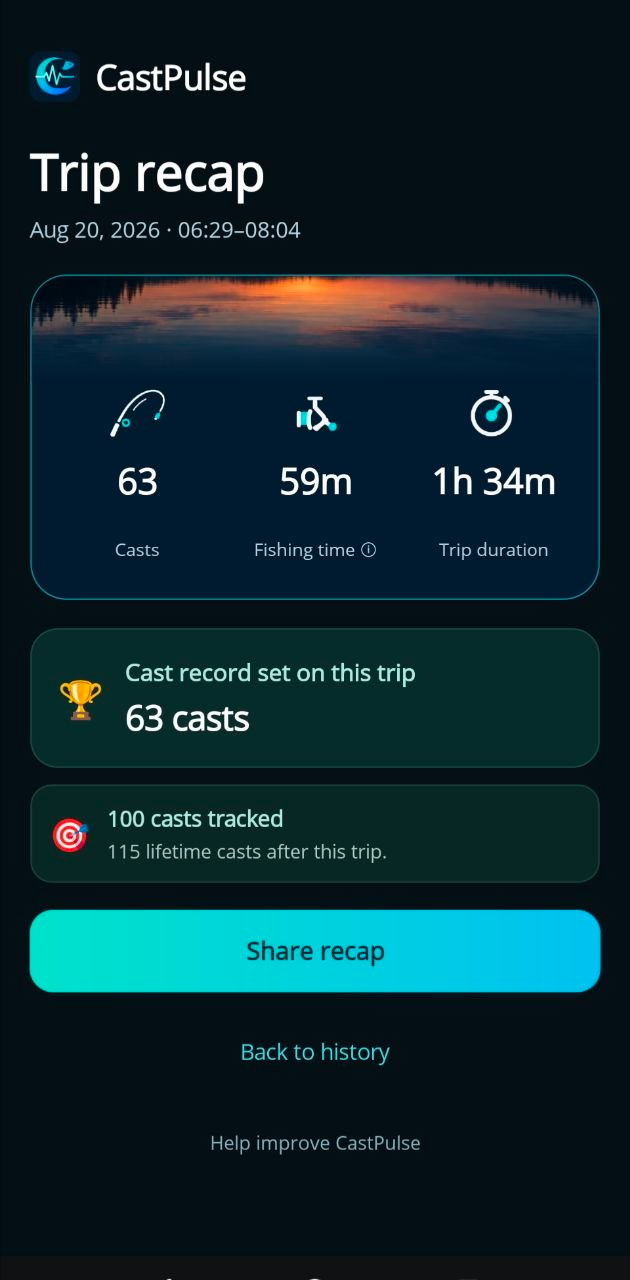
One trip gives you a recap. Keep using CastPulse and those trips become your personal fishing history — casts, active fishing time and personal records. Look back through your sessions and compare them for yourself.
Was this your most active trip? Open your history and see how it compares.
Your casting activity, counted automatically.
Time spent actively casting and retrieving.
The full session, from start to finish.
Example session from the CastPulse app
SMALL GROUP. REAL FISHING.
We’re looking for a small group of spinning anglers to take CastPulse out on real trips. It’s early. Expect a few rough edges, and a direct conversation with the person building it.
Tell us about your device and how you fish. We’ll review your details and contact you about access. Applying does not automatically grant an invitation.
Apply for alphaApplication form in English · Google Forms
Questions? Get in touch[email protected]